> For the complete documentation index, see [llms.txt](https://help.metaforms.ai/llms.txt). Markdown versions of documentation pages are available by appending `.md` to page URLs; this page is available as [Markdown](https://help.metaforms.ai/data-processing/python/step-4-running-checks-and-reviewing-results.md).
# Step 4: Running Checks and Reviewing Results
Once you have reviewed your scripts and are confident they are correct, it is time to execute them against the dataset.

### Step 1: Run All Checks
Click **Run All Checks** to execute every validation script in the project. The platform runs all checks against your respondent data and returns results within seconds, regardless of dataset size.
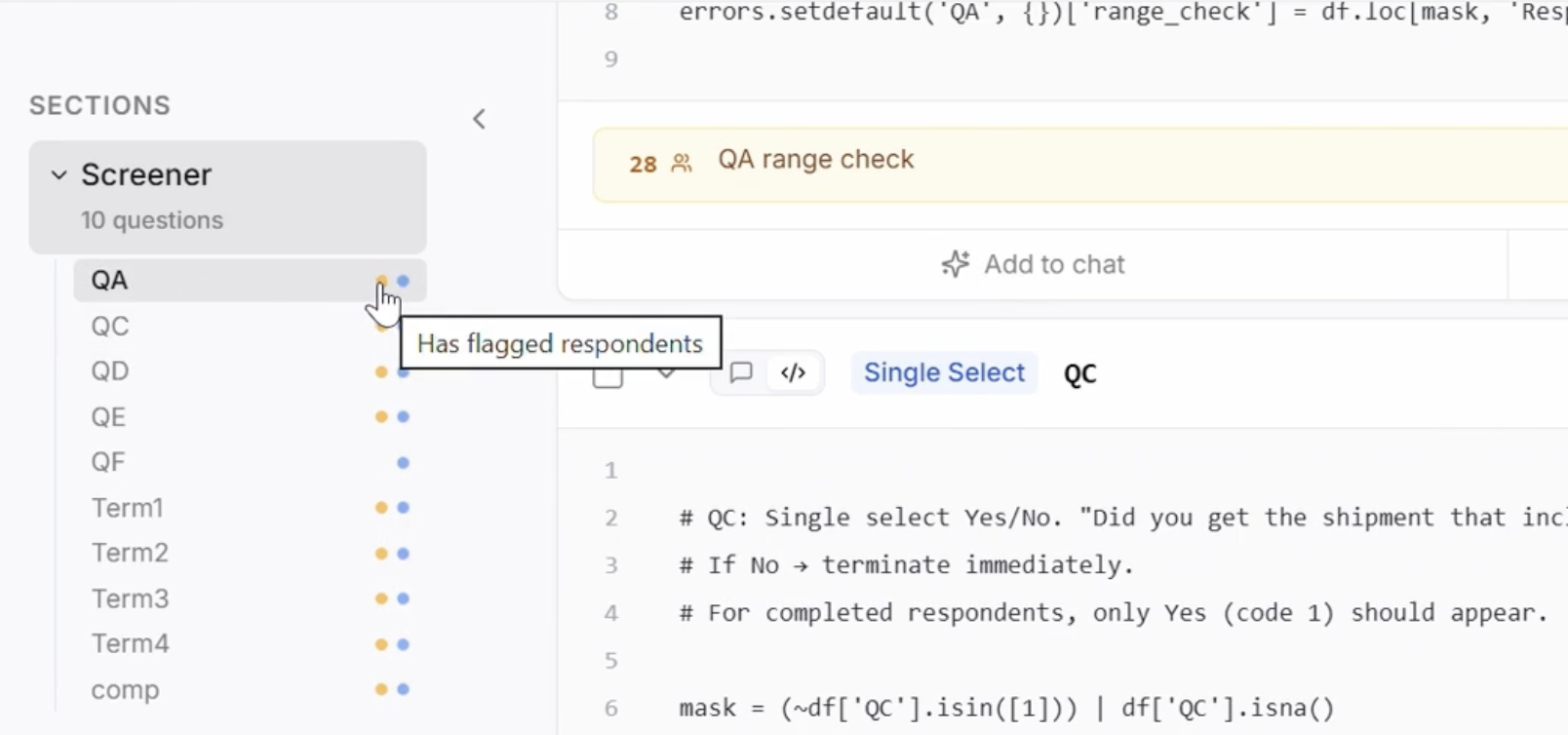
Once the checks have run, the yellow dot next to each question would indicate that there are respondents flagged for the checks run for that question.
### Step 2: View Flagged Respondents
For any check that failed, click the **View** button next to it. This takes you directly to the Respondents tab, automatically filtered to show only the respondents who failed that specific check. The columns are also filtered to display only the relevant variables, so you can immediately see the problematic data without sifting through the full dataset.
This makes it straightforward to understand exactly which respondents were flagged and why.
### Step 3: Export the Validation Report
Once you have reviewed the results, click **Export** to download a comprehensive validation report.
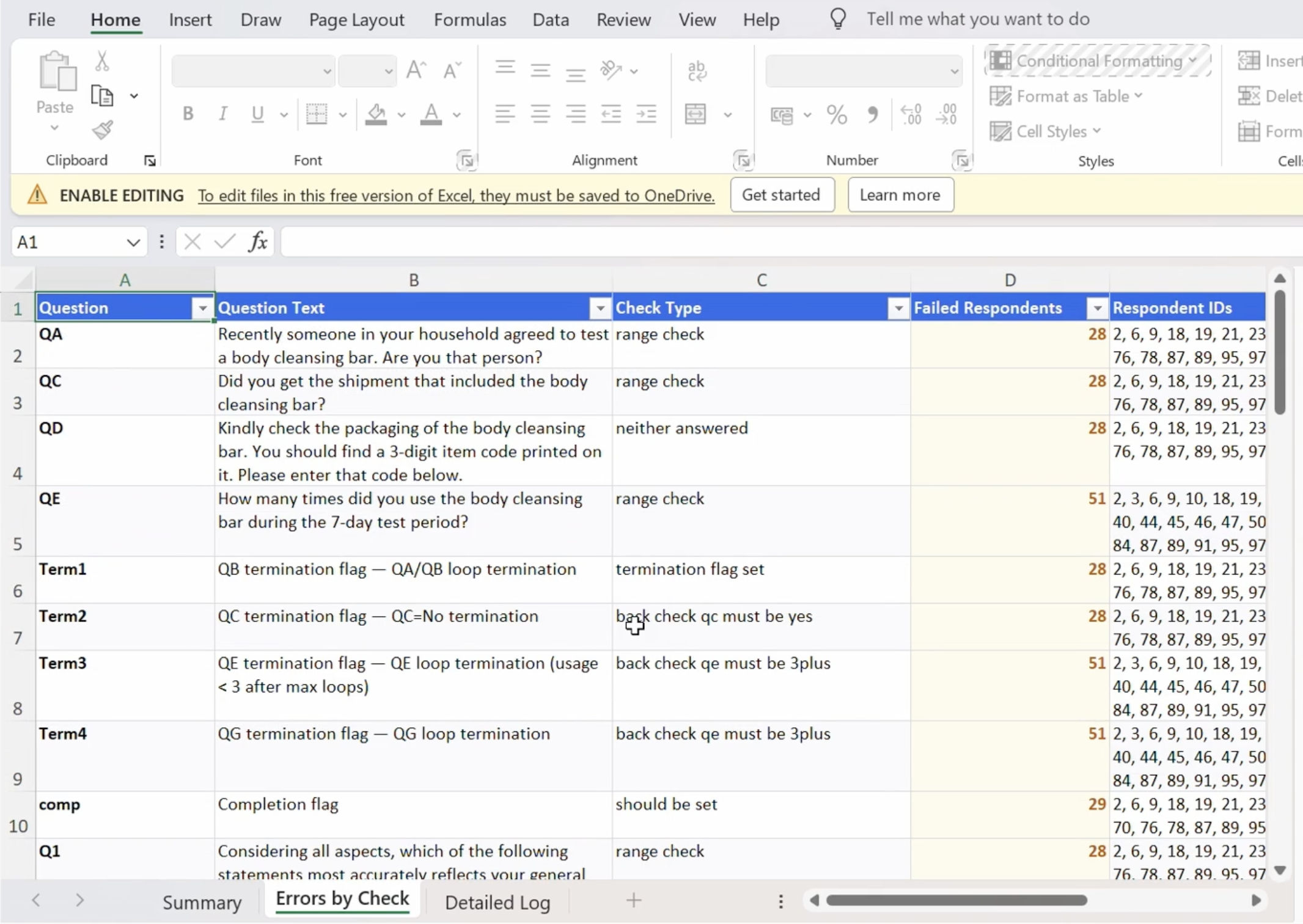
The report is an Excel file that includes:
* **Summary sheet** — Overall pass rate, total respondents, number of checks run, and counts of flagged respondents.
* **Detailed findings** — Each failed check listed with the question text, the validation condition, the number of respondents who failed, and their respondent IDs.
* **Per-respondent breakdown** — Grouped by question and check, showing exactly which respondents failed and what checks.
This report can be shared with your programming team, QA team, or clients to communicate data quality findings and drive corrective action.
---
# Agent Instructions
This documentation is published with GitBook. GitBook is the documentation platform designed so that both humans and AI agents can read, navigate, and reason over technical content effectively. Learn more at gitbook.com.
## Querying This Documentation
If you need additional information that is not directly available in this page, you can query the documentation by asking a question.
Perform an HTTP GET request on the following URL with the `ask` and `goal` query parameters:
```
GET https://help.metaforms.ai/data-processing/python/step-4-running-checks-and-reviewing-results.md?ask=&goal=
```
`ask` is the immediate question: it should be specific, self-contained, and written in natural language.
`goal` is what the user is ultimately trying to achieve, the reason they need the answer. Sharing it helps GitBook give you a better, more relevant answer. A goal is most helpful when it describes the outcome the user wants rather than restating the question. For example, with `ask=how do I create an API token`, a goal like `automate deployments from our CI pipeline` lets GitBook tailor the answer to that use case.
The response will contain a direct answer to the question and relevant excerpts and sources from the documentation.
Use this mechanism when the answer is not explicitly present in the current page, you need clarification or additional context, or you want to retrieve related documentation sections.